/// <summary>
        /// 筛选出已经合并的cell并计算最大选中范围
        /// </summary>
        private void CheckCell()

            }

            double cellMinLeft = bors[0].Margin.Left;
            double cellMaxLeft = 0;
            double cellMinTop = bors[0].Margin.Top;
            double cellMaxTop = 0;
            for (int i = 0; i < bors.Count; i++)

                if (bors[i].Margin.Top < cellMinTop)
                {
                    cellMinTop = bors[i].Margin.Top;
                }
                if (bors[i].Margin.Top + bors[i].Height > cellMaxTop)
                {
                    cellMaxTop = bors[i].Margin.Top + bors[i].Height;
                }
                if (bors[i].Margin.Left + bors[i].Width > cellMaxLeft)
                {
                    cellMaxLeft = bors[i].Margin.Left + bors[i].Width;
                }
            }

            for (int i = 0; i < GridTempl.Children.Count; i++)

                //包含左上角
                if (otherBor.Margin.Left > cellMinLeft
                        && (otherBor.Margin.Left) < cellMaxLeft
                        && otherBor.Margin.Top > cellMinTop
                        && (otherBor.Margin.Top) < cellMaxTop)
                {
                    otherBor.Background = ColorHandler.GetColorBrush("#444444");
                    CheckCell();
                    return;
                }

                //包含右上角
                if (otherBor.Margin.Left + otherBor.Width > cellMinLeft
                         && (otherBor.Margin.Left + otherBor.Width) < cellMaxLeft
                         && otherBor.Margin.Top > cellMinTop
                         && (otherBor.Margin.Top) < cellMaxTop)
                {
                    otherBor.Background = ColorHandler.GetColorBrush("#444444");
                    CheckCell();
                    return;
                }

                //包含右下角
                if (otherBor.Margin.Left + otherBor.Width > cellMinLeft
                           && (otherBor.Margin.Left + otherBor.Width) < cellMaxLeft
                           && (otherBor.Margin.Top + otherBor.Height) > cellMinTop
                           && (otherBor.Margin.Top + otherBor.Height) < cellMaxTop)
                {
                    otherBor.Background = ColorHandler.GetColorBrush("#444444");
                    CheckCell();
                    return;
                }

                //包含左下角
                if (otherBor.Margin.Left > cellMinLeft
                          && (otherBor.Margin.Left) < cellMaxLeft
                          && (otherBor.Margin.Top + otherBor.Height) > cellMinTop
                          && (otherBor.Margin.Top + otherBor.Height) < cellMaxTop)
                {
                    otherBor.Background = ColorHandler.GetColorBrush("#444444");
                    CheckCell();
                    return;
                }

                //水平分割
                if (otherBor.Margin.Left > cellMinLeft
                          && (otherBor.Margin.Left) < cellMaxLeft
                          && (otherBor.Margin.Top) <= cellMinTop
                          && (otherBor.Margin.Top + otherBor.Height) >= cellMaxTop)
                {
                    otherBor.Background = ColorHandler.GetColorBrush("#444444");
                    CheckCell();
                    return;
                }

                //垂直分割
                if (otherBor.Margin.Left <= cellMinLeft
                          && (otherBor.Margin.Left + otherBor.Width) >= cellMaxLeft
                          && (otherBor.Margin.Top) > cellMinTop
                          && (otherBor.Margin.Top + otherBor.Height) < cellMaxTop)
                {
                    otherBor.Background = ColorHandler.GetColorBrush("#444444");
                    CheckCell();
                    return;
                }
            }
        }
通过递归填充单元格达到矩形范围的同行同列自动选择,接下来就可以合并所选择的单元格:
计算最大宽度和最大高度,并且使左上角的单元格等于最大宽高,以实现合并效果:
            //计算最大宽度
            double w = borderFirst.Width;
            for (int i = 0; i < bors.Count; i++)

            }

            //计算最大高度
            double h = borderFirst.Height;
            for (int i = 0; i < bors.Count; i++)

            }

            borderFirst.Tag = Math.Round(h / borderFirst.Height) + "#" + Math.Round(w / borderFirst.Width);
            borderFirst.Width = w;
            borderFirst.Height = h;
看效果:
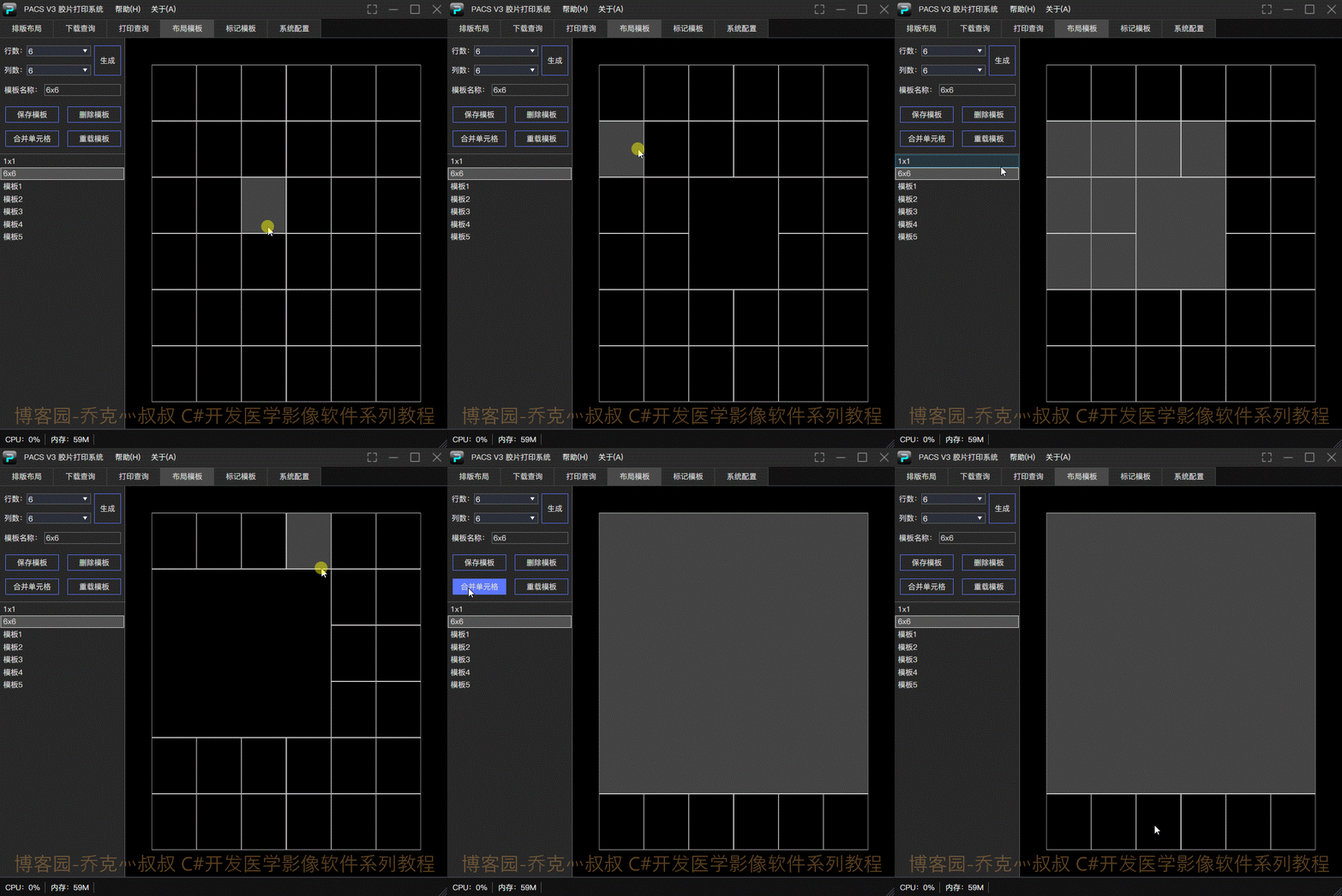
将布局通过自定义格式保存到本地文件,就可以在排版界面载入布局模板。
编辑标记模板:
选择常用Tag添加到胶片的四个角,以便在后面载入影像的时候读取标记信息:
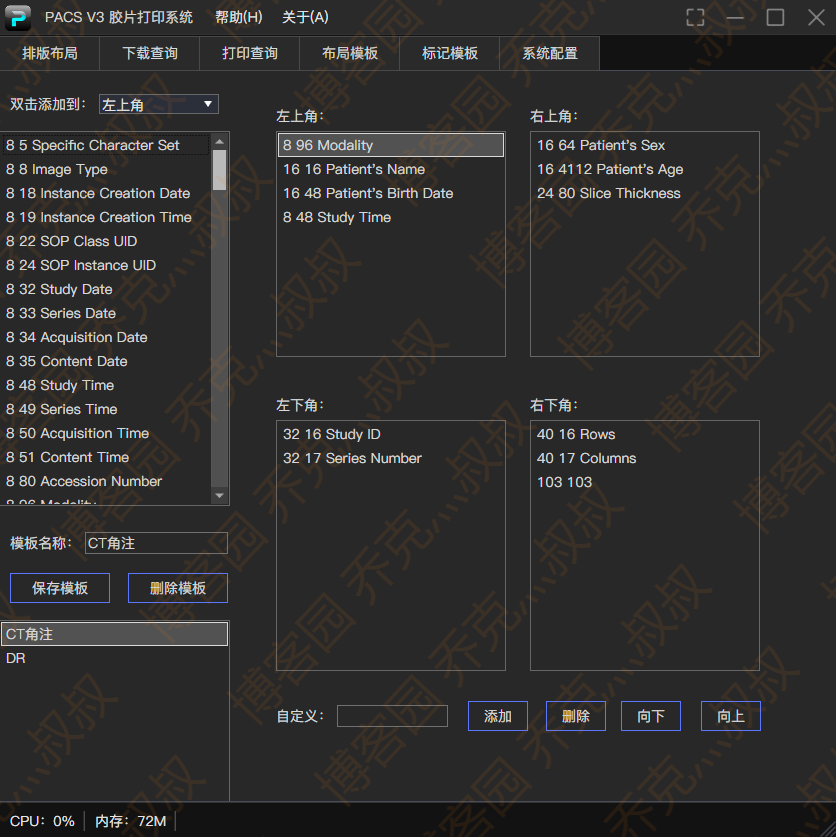
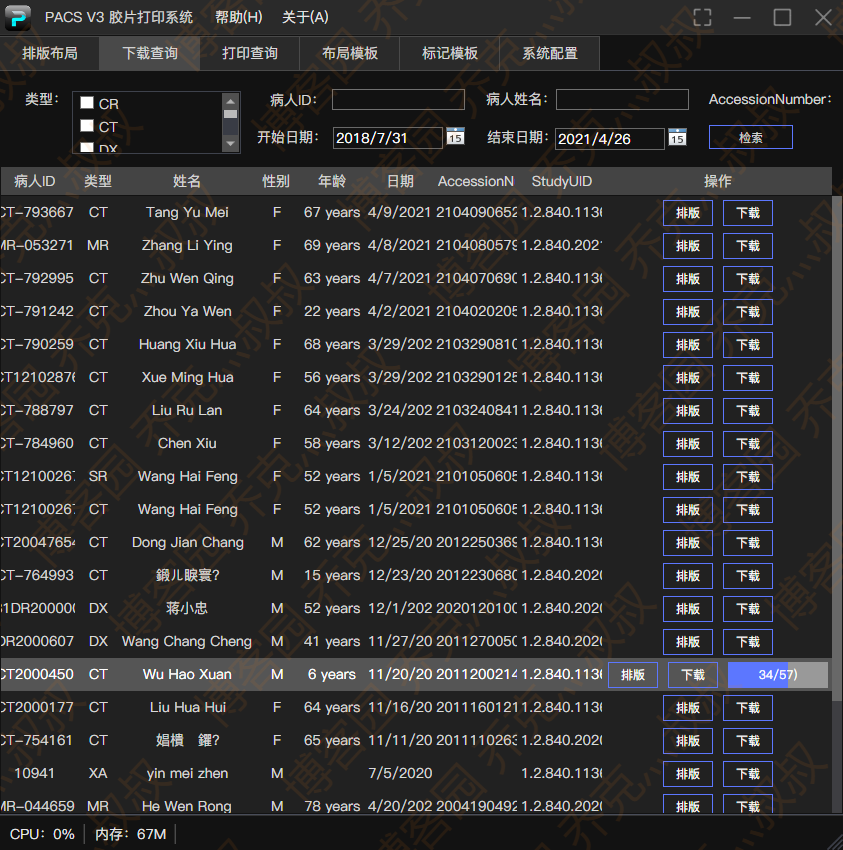
读取检查列表和下载影像:
可以参考本系列教程文章:
优惠券免费领取 https://www.fenfaw.cn/
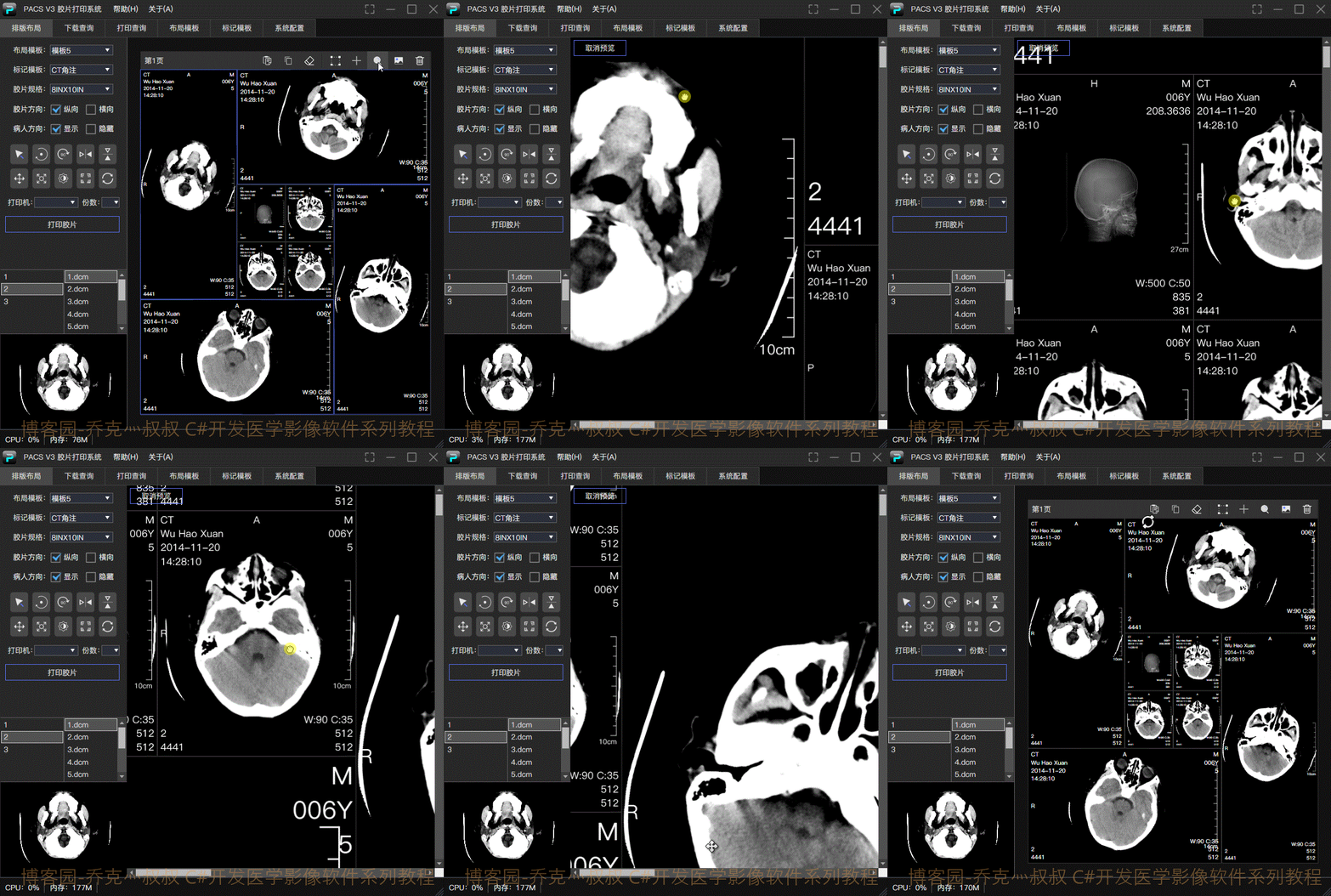
载入影像并微调(平移,缩放,自由旋转等二维操作):
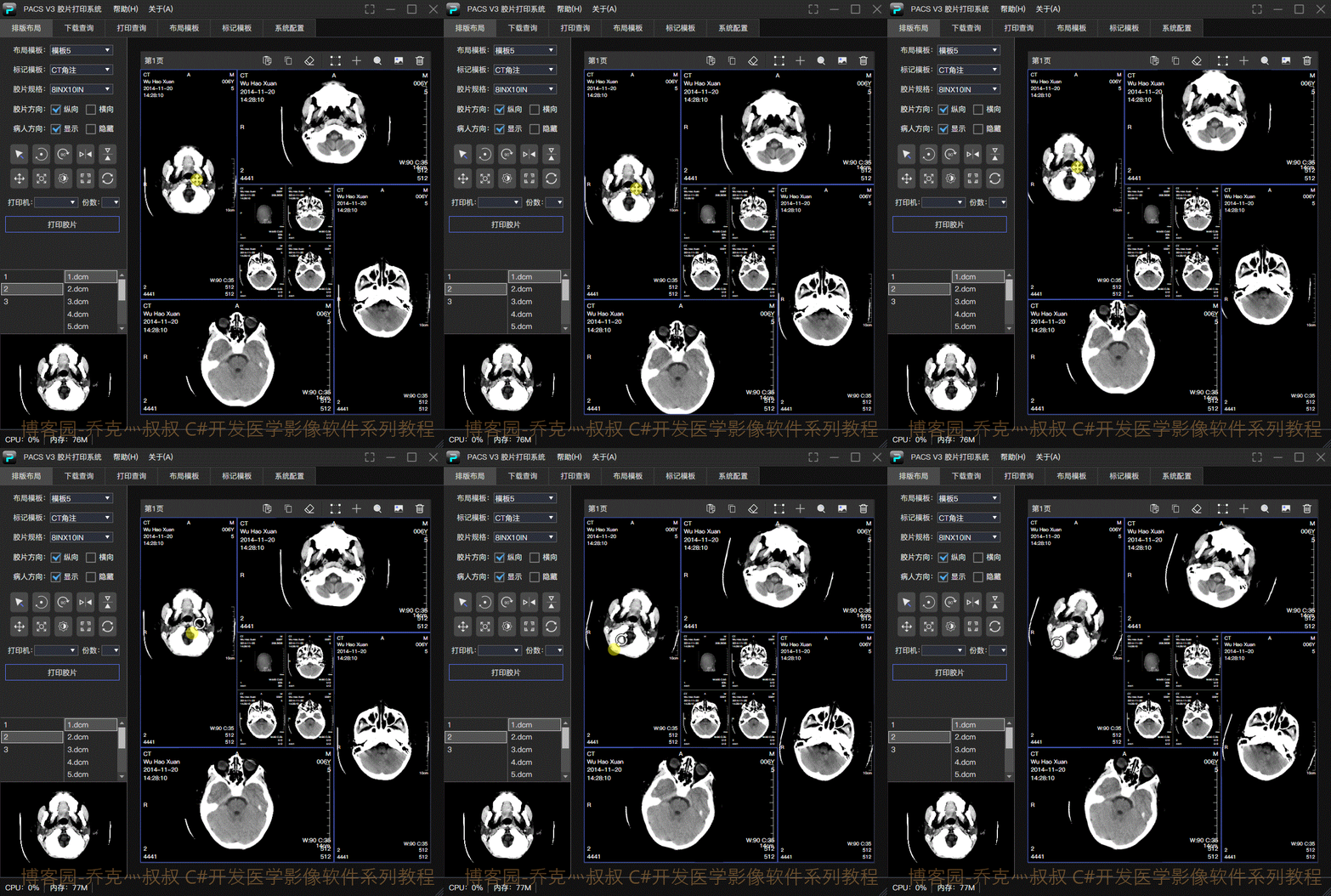
使用1:1像素超清预览查看打印细节:
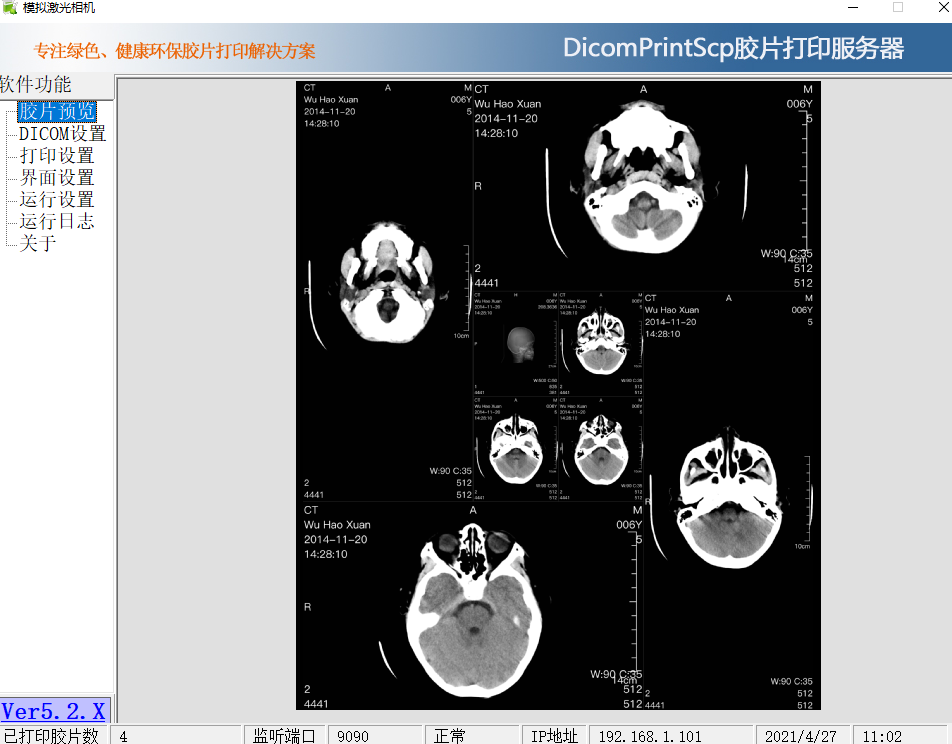
下载一个打印服务端模拟接受打印:
我这里使用的是模拟激光相机5.0版本,下载地址:https://www.fxxz.com/soft/47115.html
设置好端口并发送,查看握手状态和通讯包:
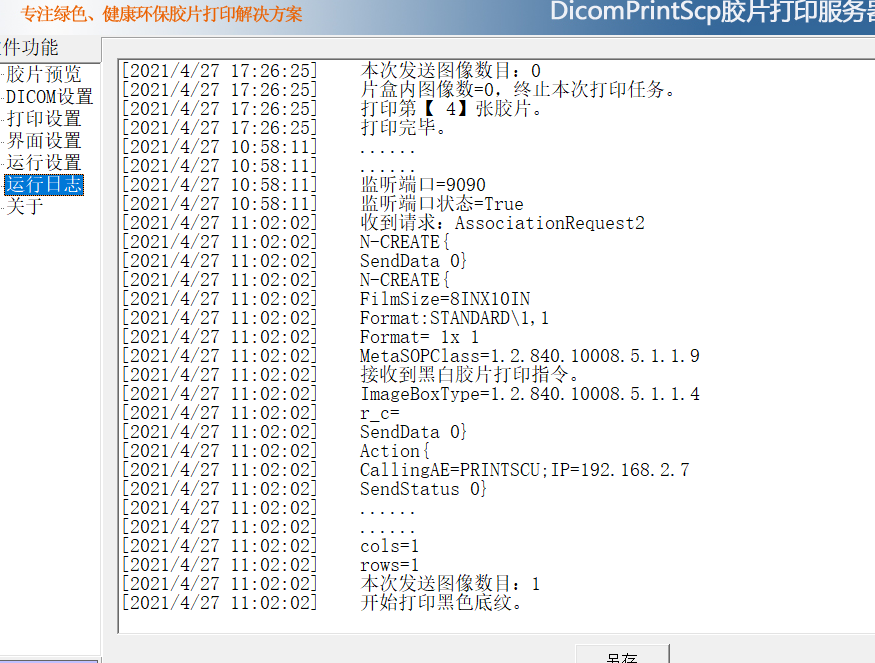
查看打印结果: